Best Monitor for Acer Nitro 5
The Acer Nitro 5 is a popular gaming laptop that offers great performance and features at a reasonable price point. However, like most laptops, the display on the Acer Nitro 5 may not always provide the best visuals for gaming or other multimedia activities. That’s why many users opt to connect their laptop to an external monitor for a better viewing experience.
When it comes to choosing the best monitor for the Acer Nitro 5, there are several factors to consider. From screen size and resolution to refresh rate and connectivity options, it’s important to find a monitor that complements the laptop’s capabilities and enhances the overall gaming or multimedia experience. In this article, we will explore some of the best monitors for the Acer Nitro 5, taking into account the different aspects that make a monitor suitable for gaming and multimedia purposes.
Screen Size and Resolution
One of the most important factors to consider when choosing a monitor for the Acer Nitro 5 is the screen size and resolution. A larger screen size can provide a more immersive gaming experience, while a higher resolution can result in sharper and more detailed visuals. For a gaming laptop like the Acer Nitro 5, a monitor with a screen size of at least 24 inches and a resolution of 1920×1080 (Full HD) would be a good starting point.
However, if you want a more visually stunning experience, you may want to consider a monitor with a higher resolution, such as 2560×1440 (QHD) or even 3840×2160 (4K). Keep in mind that a higher resolution may also require more powerful hardware to drive the display, so make sure your Acer Nitro 5 is up to the task.
Refresh Rate and Response Time
For gaming purposes, the refresh rate and response time of a monitor are crucial factors to consider. A higher refresh rate, measured in Hertz (Hz), can result in smoother and more fluid motion in games, while a lower response time can reduce motion blur and ghosting. As a result, gaming monitors typically have refresh rates of 144Hz or higher and response times of 5ms or less.
When choosing a monitor for the Acer Nitro 5, look for models that offer a high refresh rate and low response time to ensure a lag-free and smooth gaming experience. Some popular choices include the ASUS VG248QE and the Acer Predator XB271HU, both of which offer a refresh rate of 144Hz and a response time of 1ms, making them ideal for gaming.
Connectivity Options
Another important consideration when choosing a monitor for the Acer Nitro 5 is the connectivity options available. The laptop comes with several ports, including HDMI and USB Type-C, so make sure the monitor you choose has compatible ports for easy connectivity. Additionally, if you plan to use the monitor for console gaming or other devices, consider models with multiple inputs such as HDMI, DisplayPort, and DVI.
Some gaming monitors also come with built-in USB hubs, allowing you to connect peripherals directly to the monitor for a cleaner setup. This can be especially useful for laptops like the Acer Nitro 5, which may have limited USB ports. Models like the BenQ Zowie XL2411P and the Dell S2716DG feature multiple connectivity options, making them versatile choices for the Acer Nitro 5.
Additional Features
In addition to the basics, there are several additional features to consider when choosing a monitor for the Acer Nitro 5. These can include adjustable stands for ergonomic positioning, built-in speakers for audio playback, and gaming-specific features like AMD FreeSync or NVIDIA G-Sync for smoother gameplay.
Adjustable stands can be particularly useful for finding the right viewing angle and height, especially if you plan to use the monitor for extended periods. Built-in speakers can also be convenient if you don’t have external speakers or headphones, though they may not offer the best audio quality. Lastly, if you have an AMD or NVIDIA graphics card in your Acer Nitro 5, consider a monitor with FreeSync or G-Sync for tear-free and stutter-free gaming.
Below are top recommended gaming monitors for Acer Nitro 5:
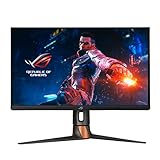
- The world's first QHD 360Hz gaming monitor designed for professional esports gamers
- Adopt world's first ultra Fast IPS technology
- High dynamic range (HDR) technology with DisplayHDR 600 compliance
- 120~125% sRGB and DCI-P3 95% color space gamut for a wider range of lifelike image
- NVIDIA Reflex Latency Analyzer gives competitive gamers an accurate measurement of system latency

- 27-inch Full HD (1920 x 1080) gaming monitor with ultrafast 165Hz refresh rate (supports 144Hz) designed for professional gamers and immersive gameplay
- ASUS Extreme Low Motion Blur (ELMB) technology enables a 1ms response time (MPRT), eliminating ghosting for sharp gaming visuals
- Shadow Boost enhances image details in dark areas, brightening scenes without over-exposing bright areas
- G-SYNC Compatible processing, delivering a seamless, tear-free gaming experience by enabling VRR (variable refresh rate) by default.
- Features an ergonomically designed stand to offer extensive swivel, tilt, pivot and height adjustments

- Feel Actual Combat with Vivid Colors - IPS display with up to 99% of the sRGB provides outstanding color accuracy and wider viewing angle, so it delivers high-fidelity color for reproducing even more vivid scenes on the battlefield.
- See Detail in the Darkness with Black Stabilizer - You're gameplay is never in the dark. Black Stabilizer is your ally to attack or defend against enemies hiding in the shadows. It delivers a pro-level gaming experience for enhanced vision and the first-mover advantage.
- Innovation Beyond Boundaries - See your way to victory with the innovative 27GL83A UltraGear gaming monitor, providing the most crisp visuals and the sharpest clarity. You can experience breath-taking immersion on an IPS display with a 1ms response time.
- Design for Incredible Speed - With IPS 1ms comparable to TN Speed, providing the minimized afterimage and a fast response time, let's you enjoy a whole new gaming performance.
- G-Sync Compatible Certified by NVIDIA - LG 27GL83A Monitor is a NVIDIA-tested and officially verified G-Sync Compatible monitor, eliminating screen tearing and minimizing stutter for a smoother, faster gaming experience.

- Vivid Colors and Sharp Details - Nano IPS technology supports the express high-fidelity color for reproducing vivid scenes, while VESA DisplayHDR 400 delivers dynamic contrast, on the large QHD screen.
- Gaming Innovation Beyond Boundaries - Complete your battle station with a premium LG UltraGear Gaming Monitor. Built for gamers, it delivers the latest hardware, specs, ergonomics, sleek design and sensory experience. With gaming-focused features like NVIDIA G-SYNC compatibility, 1ms GTG response times, pro-level customization and fast, vivid IPS panels, you're sure to gain an added edge.
- A Total Game Changer - LG UltraGear Gaming Monitors are created from the ground up to give gamers the edge. The Nano IPS display achieves 1ms GTG TN-level speeds and ultra-fast refresh rates, while mesmerizing with a rich and vivid picture.
- Total Immersion with Overwhelming Speed - The 165Hz refresh rate (O/C 180Hz) monitor combined with a 1ms response rate offers smoother, clearer action while reducing blur and ghosting.
- NVIDIA G-SYNC Compatible - LG 27GP850 Monitor is a NVIDIA-tested and officially verified G-SYNC compatible monitor, reducing screen tearing and minimizing stutter for a smoother, faster gaming experience.
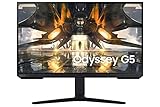
- QHD RESOLUTION and IPS PANEL: Packing in 1.7 times the pixel density of FHD, you can see games like never before; IPS panel delivers clear colors and a wide 178º viewing angle for clarity from any viewpoint; With more pixels and greater depth, games are closer to reality than ever before.Mounting Type:Wall Mount (Size mm) 100 x 100.Aspect Ratio 16:9
- FIND HIDDEN DETAILS OTHERS MISS: Awe inspiring graphics with HDR10; A kaleidoscope of shades brings game scenes to life more vibrantly than ever before; Uncover the secrets hiding in the shadows with deep dark blacks, luminous whites, and outstandingly detailed resolution
- REACT IN REAL TIME: Speed through scenes; 165Hz refresh rate eliminates lag for exhilarating gameplay with ultra smooth action; Jump on enemies right when you see them with a 1ms response time and blur free frames
- LOW INPUT LAG: The incredibly low input lag brings never before experienced response accuracy to catch notoriously agile enemies; It's so fast, that action begins instantly when you turn on the screen, with virtually no delay between your peripherals and the game
- G SYNC COMPATIBLE: G Sync compatibility keeps the GPU and panel synced up to eliminate choppiness, screen lag, and image tears; Fast action and complex game scenes are stable and stutter free with AMD FreeSync Premium for your competitive edge

- Experience smooth performance with up to 280Hz overclocked / 240Hz native variable refresh rates.Aspect ratio:16:9.Specific uses for product - Gaming
- Fast IPS panel with lightning-fast 1ms GtG (Gray to Gray) response time enables lag-free gameplay.
- NVIDIA G-SYNC Compatible certification and VESA Adaptive Sync certification enablesstutter-free, tear-free, low-latency gaming and crystal-clear graphics.
- Dive into vibrant colors across a wide viewing angle. See it all on an InfinityEdgescreen with IPS Nano Color technology that lets you experience dynamic, vivid colors with 95% DCI-P3 color coverage and VESA DisplayHDR 600 certification for a truly immersive gaming experience.
- The iconic Legend 2.0 design in Lunar Light seamlessly integrates into any battle station. With powerful AlienFX lighting signature, 360 degree ventilation, improved cable management, and fully adjustable stand with swivel, pivot, tilt, and height adjustment for optimized footprint, find a play style that works for your gaming.
Conclusion
Choosing the best monitor for the Acer Nitro 5 involves considering several factors, including screen size, resolution, refresh rate, response time, connectivity options, and additional features. By keeping these factors in mind and selecting a monitor that complements the laptop’s capabilities, you can enhance your gaming and multimedia experience and make the most of your Acer Nitro 5. Whether you prefer a smaller and more affordable monitor or a larger and more visually stunning display, there are plenty of options available to suit your needs and budget.